Learn > BGE > Python – Turtle Graphics >
Turtle Basics
Initial Setup
Before you can draw, you must set up Turtle:
from turtle import *
screen = getscreen()
tom = Turtle()
Basic Commands
tom.forward(100)
- Moves the turtle forward
- Draws a line as it moves
tom.backward(100)
- Moves the turtle backwards
- Draws a line as it moves
tom.left(90)
- Turns the turtle left (anticlockwise)
- The angle is how much the turtle turns, measured in degrees (°)
- Common angles:
- 90° → quarter turn (used for squares)
- 180° → turn around
- 360° → full circle
tom.right(90)
- Turns the turtle right (clockwise)
- The angle is how much the turtle turns, measured in degrees (°)
- Common angles:
- 90° → quarter turn (used for squares)
- 180° → turn around
- 360° → full circle
tom.penup()
- Lifts the pen
- Turtle moves without drawing
tom.pendown()
- Puts the pen down
- Turtle draws again
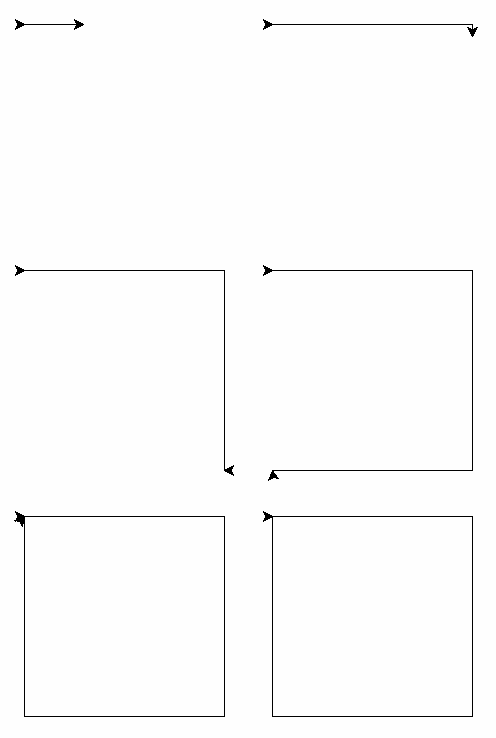
Example - Square
from turtle import *
screen = getscreen()
tom = Turtle()

tom.forward(100)
tom.right(90)

tom.forward(100)
tom.right(90)

tom.forward(100)
tom.right(90)

tom.forward(100)
tom.right(90)