
Learn > BGE > Python – Turtle Graphics >
Colour
Initial Setup
When creating shapes in Python Turtle Graphics, you can add colour to make your drawings more interesting. To fill a shape with colour, follow these steps:
- Use the fillcolor() command to choose a colour for the shape.
- Use begin_fill() to tell Python to start colouring.
- Draw the shape using movement commands such as forward() and left().
- Use end_fill() after the shape is finished.
- Python will fill the inside of the shape with the chosen colour.
from turtle import *
screen = getscreen()
tom = Turtle()

tom.fillcolor("Red")
tom.begin_fill()

# Draw a closed shape

tom.end_fill()

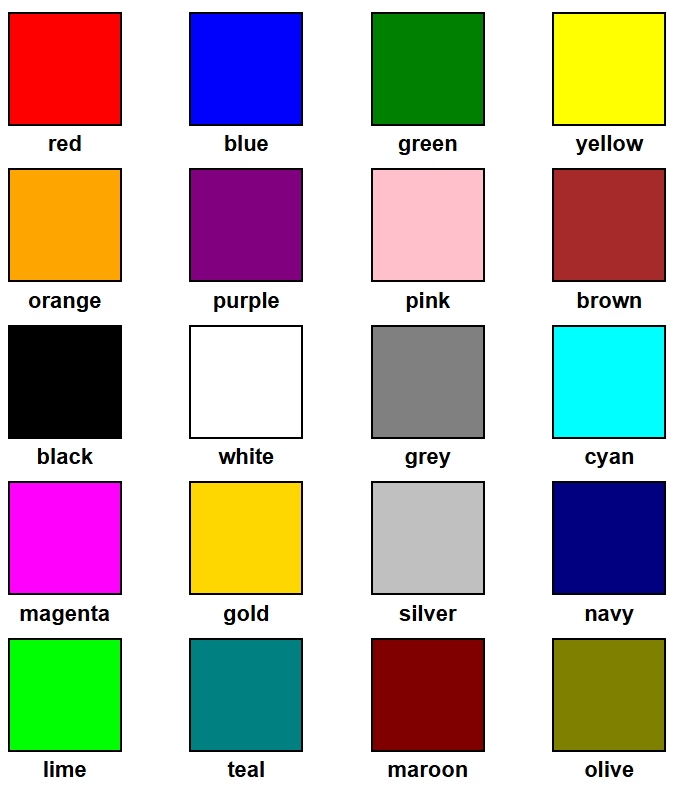
Colours
Example - Red Square
from turtle import *
screen = getscreen()
tom = Turtle()

tom.fillcolor("Red")
tom.begin_fill()

tom.forward(200)
tom.right(90)
tom.forward(200)
tom.right(90)
tom.forward(200)
tom.right(90)
tom.forward(200)
tom.right(90)

tom.end_fill()