Learn > BGE > Python – Turtle Graphics > 2. Colour >
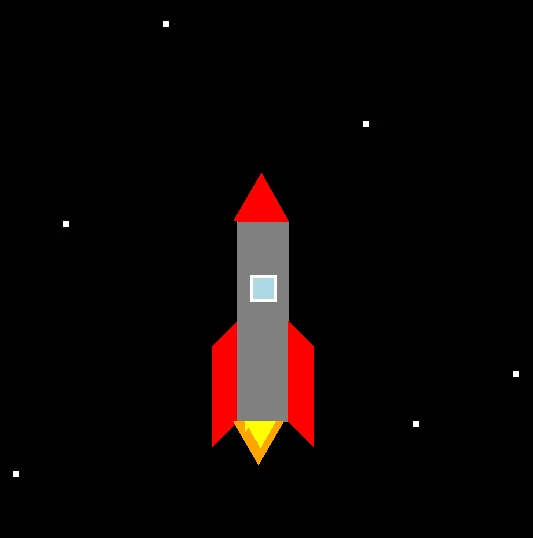
Rocket
Task 1
Create the Python program below to draw a rocket.
Code
from turtle import *
screen = getscreen()
tom = Turtle()

# Rocket body (grey rectangle)
tom.fillcolor("grey")
tom.begin_fill()
tom.forward(50)       # bottom edge
tom.left(90)
tom.forward(200)      # right side up
tom.left(45)
tom.forward(36)       # top right diagonal
tom.left(90)
tom.forward(36)       # top left diagonal
tom.left(45)
tom.forward(200)      # left side down
tom.end_fill()

# Left fin (red)
tom.fillcolor("red")
tom.begin_fill()
tom.right(45)
tom.forward(36)       # diagonal out
tom.right(135)
tom.forward(100)      # fin bottom edge
tom.right(45)
tom.forward(36)       # diagonal back in
tom.end_fill()

# Move to right side for right fin
tom.penup()
tom.right(45)
tom.forward(50)       # along bottom of body
tom.pendown()

# Right fin (red)
tom.begin_fill()
tom.right(45)
tom.forward(36)       # diagonal out
tom.right(45)
tom.forward(100)      # fin bottom edge
tom.right(135)
tom.forward(36)       # diagonal back in
tom.end_fill()

Challenges
Improve the graphic by adding the following:
- Space background – black square
- Stars – white squares
- Flames – Triangles
- Window – blue and white squares