Musical Instruments
A music school wants a website that introduces three musical instruments. Visitors should be able to read about each instrument and hear a short example of its sound.
Create four linked webpages using the supplied images, audio files and wireframes. Your main task is to add a working audio player to every page.
Task 1 - Set up your website
- Create a new folder called instrument-website
- Inside this folder, create another folder called media
- Inside the media folder, create two folders called images and audio
- Download and save the four instrument images from Study Party into the images folder
- Download and save the four audio files from Study Party into the audio folder
instrument-website
│
├── index.html
├── piano.html
├── violin.html
├── guitar.html
│
└── media
    ├── images
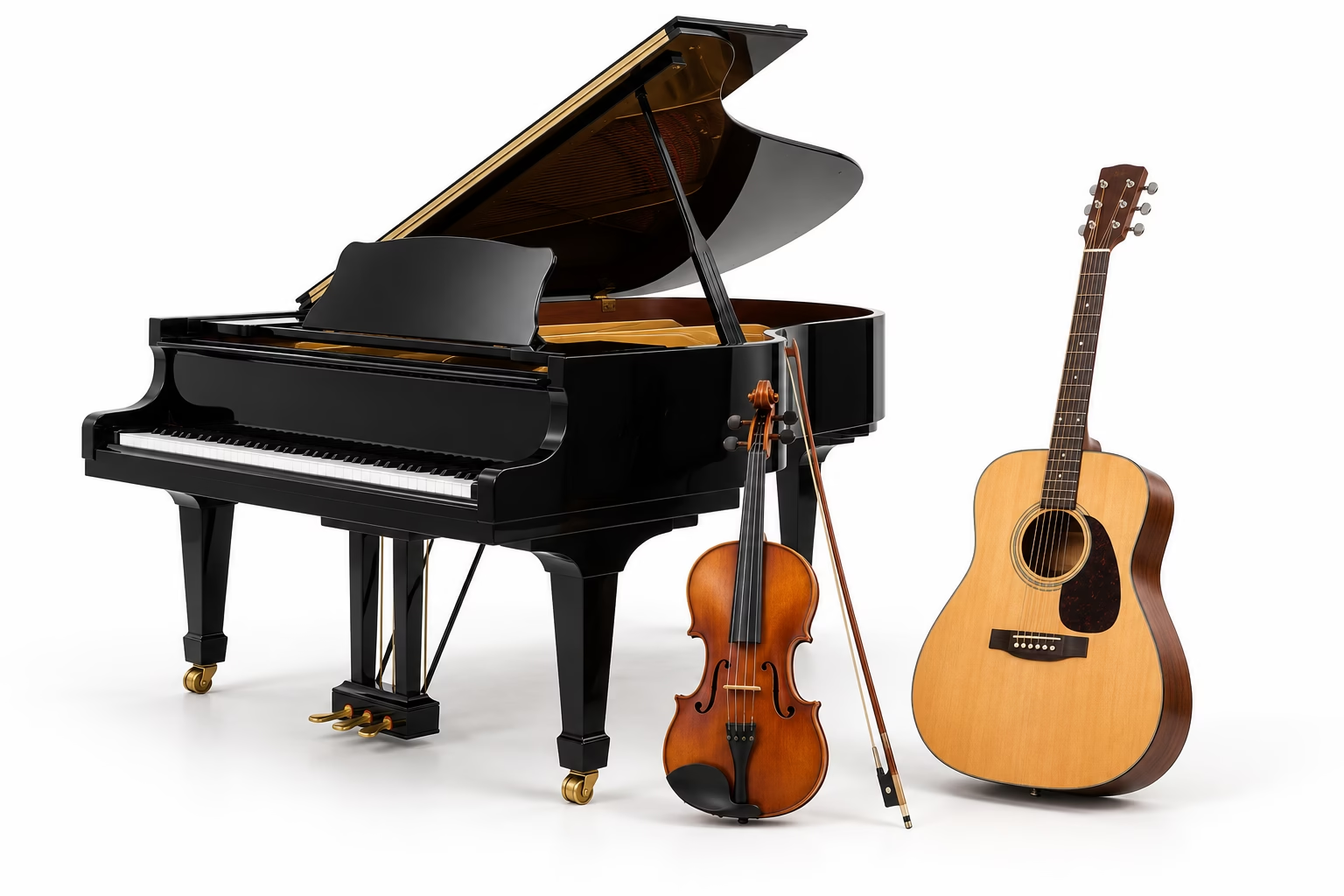
    │   ├── instruments.png
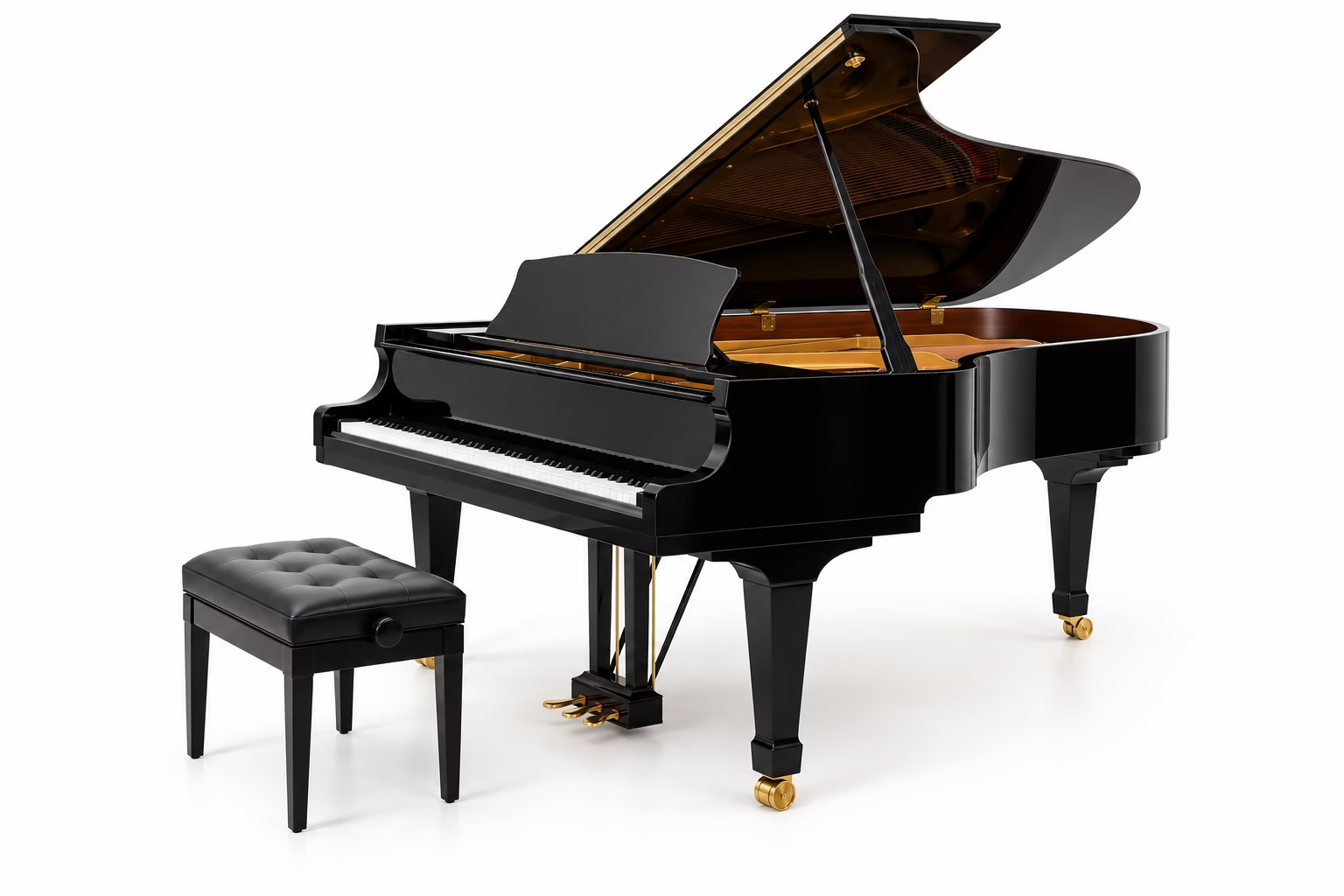
    │   ├── piano.png
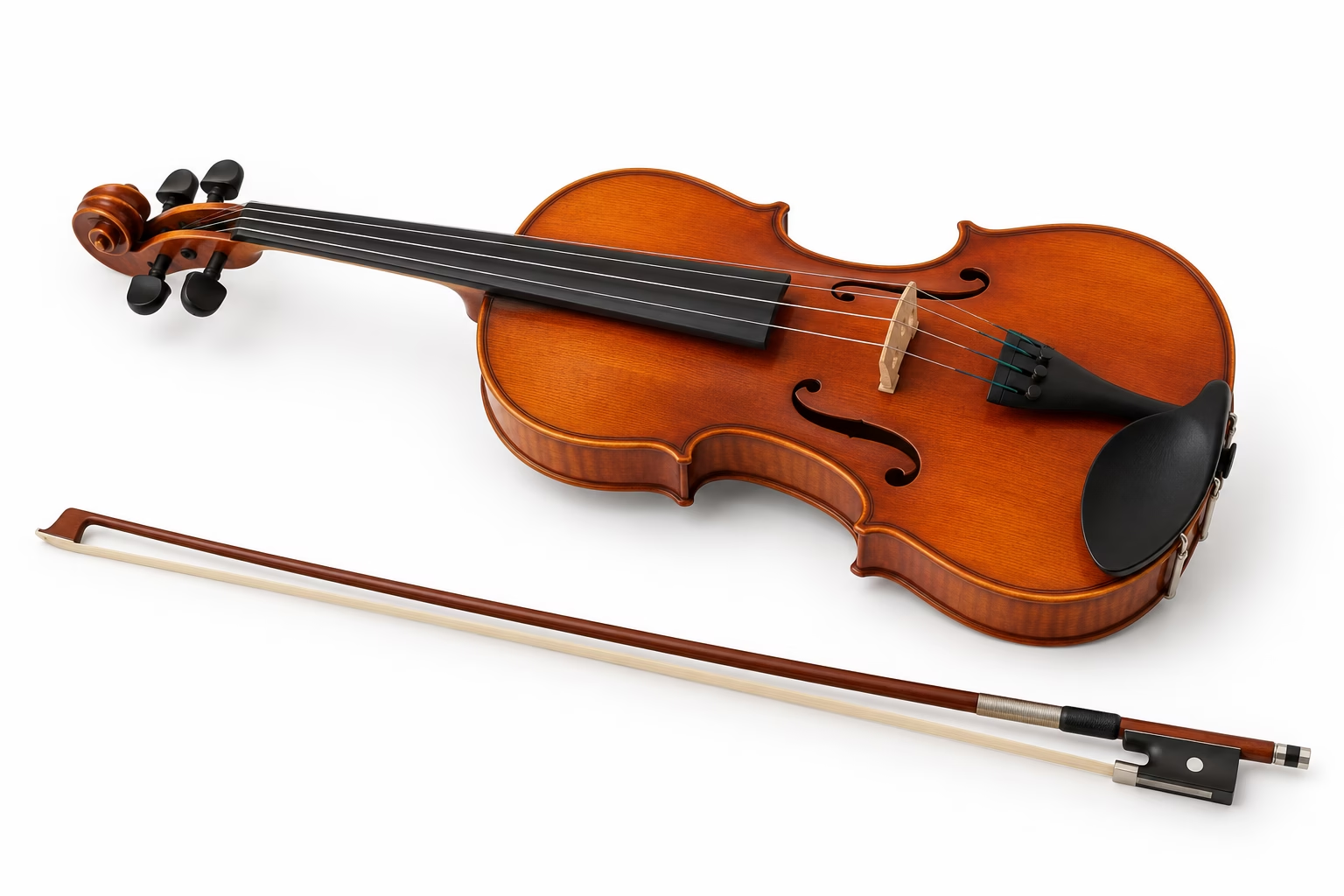
    │   ├── violin.png
    │   └── guitar.png
    │
    └── audio
        ├── instrument-preview.mp3
        ├── piano.mp3
        ├── violin.mp3
        └── guitar.mp3

Task 2 - Create the website
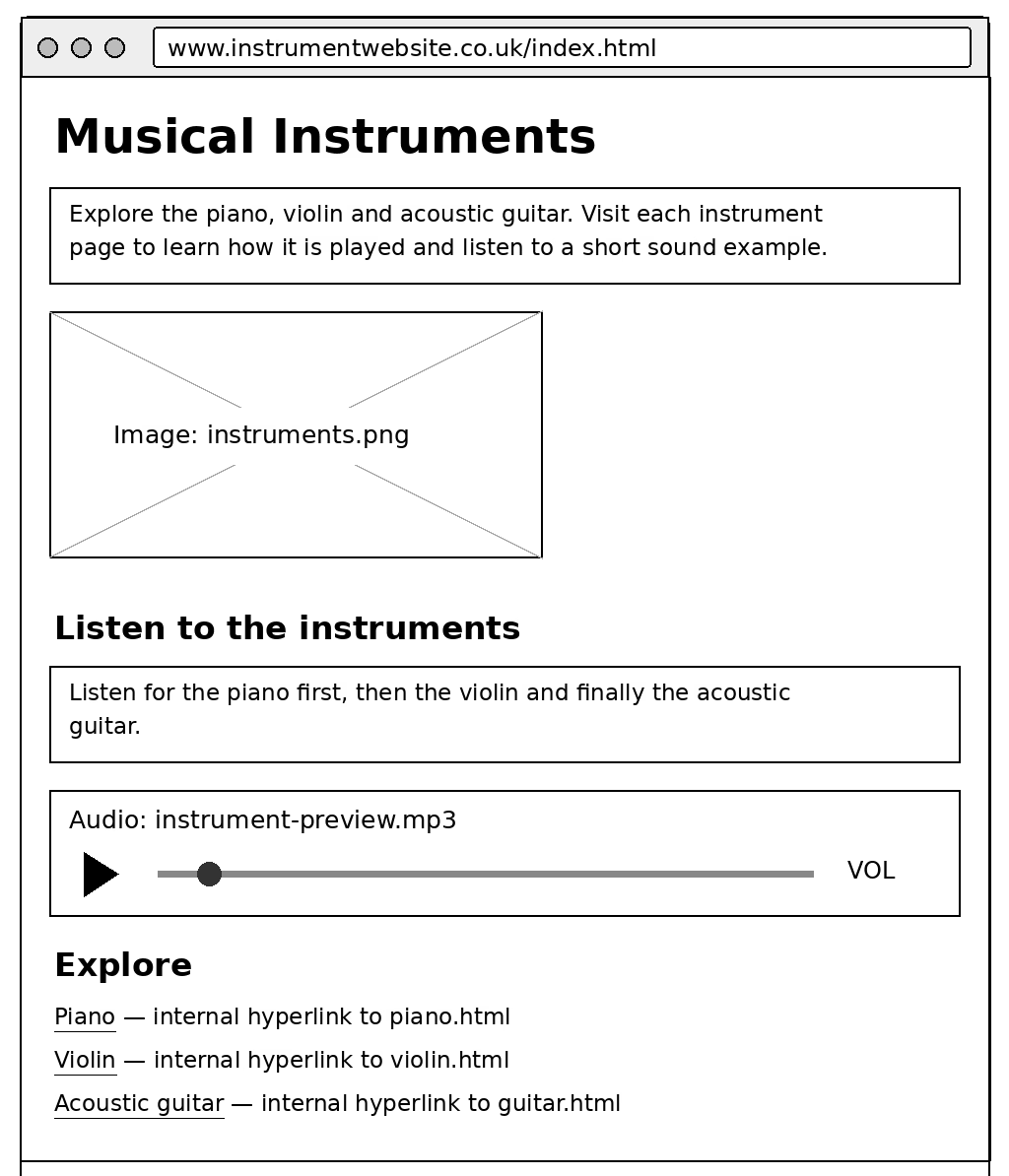
index.html
Create the homepage with:
- The main heading Musical Instruments
- A short paragraph introducing the website
- The instruments.png image displayed at 400px wide
- The subheading Listen to the instruments
- A short paragraph introducing the audio preview
- An audio player for instrument-preview.mp3 with playback controls
- The subheading Explore
- An internal hyperlink to the Piano page
- An internal hyperlink to the Violin page
- An internal hyperlink to the Acoustic Guitar page
piano.html
Create the piano page with:
- The main heading Piano
- A short paragraph introducing the piano
- The piano.png image displayed at 400px wide
- The subheading Piano facts
- A bullet list containing three facts about the piano
- The subheading Listen to the piano
- A short paragraph introducing the audio clip
- An audio player for piano.mp3 with playback controls
- The subheading Explore
- An internal hyperlink to the homepage

violin.html
Create the violin page with:
- The main heading Violin
- A short paragraph introducing the violin
- The violin.png image displayed at 400px wide
- The subheading Violin facts
- A bullet list containing three facts about the violin
- The subheading Listen to the violin
- A short paragraph introducing the audio clip
- An audio player for violin.mp3 with playback controls
- The subheading Explore
- An internal hyperlink to the homepage

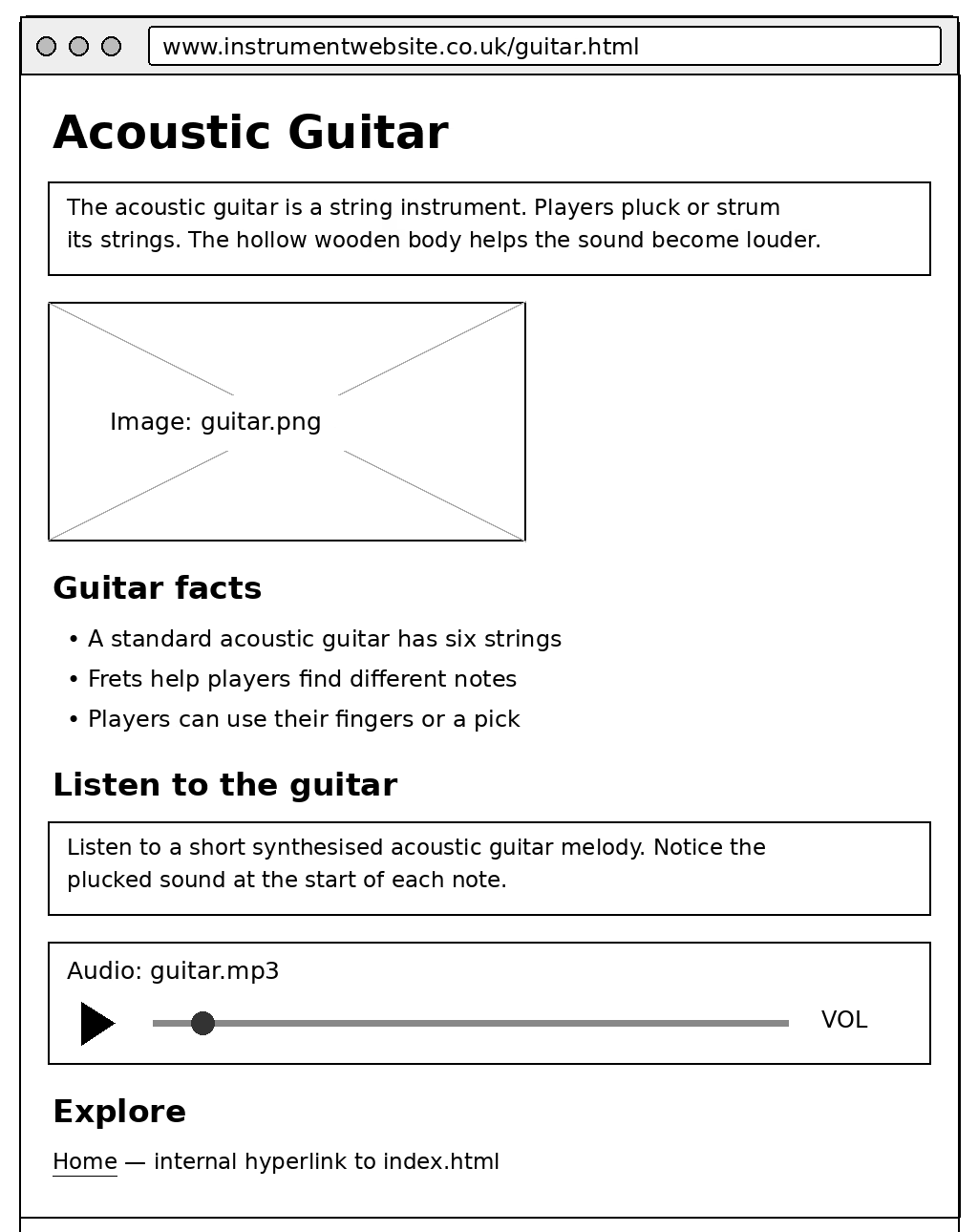
guitar.html
Create the guitar page with:
- The main heading Acoustic Guitar
- A short paragraph introducing the acoustic guitar
- The guitar.png image displayed at 400px wide
- The subheading Guitar facts
- A bullet list containing three facts about the guitar
- The subheading Listen to the guitar
- A short paragraph introducing the audio clip
- An audio player for guitar.mp3 with playback controls
- The subheading Explore
- An internal hyperlink to the homepage