
Background Music
Background Music can make a game. Some games pride themselves on having some of the best music in gaming. Adding background music to your game can make a huge difference to playability, especially when not much is happening – when the character is moving through a quiet forest or is moving from A to B.
Step 1 - Create the Game Object
Create an Empty Game Object in the Hierarchy and call it “BackgroundMusic”.
Step 2 - Add an Audio Source
With “BackgroundMusic” selected, click Add Component in the Inspector. Then search for and add an Audio Source.
Step 3 - Setup your Background Music
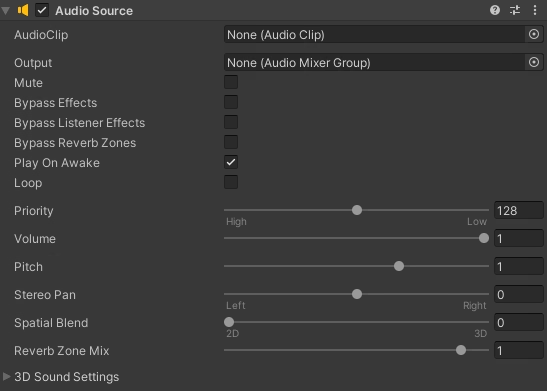
The Audio Source component has a lot of settings, but there are three key ones you need to know.
- AudioClip – Drag your audio file into this slot to set the Background Music.
- Loop – Ensure this is ticked so that background music repeats when it finishes.
- Volume – Sometimes the background music can drown out the sound effects. Lower this to solve that issue.
The other settings are cool to play with, experiment and work out what works best for your game. You can always delete the component and add a new one if things go wrong.