Images
Images are used to add pictures to a web page.
- The <img> tag is used to display an image. Unlike most HTML tags, it does not have a closing tag.
- The src=”” attribute tells the browser where the image file is located.
- The width=”” attribute is used to change the size of the image. The width is usually measured in pixels.
<img src="address" width="100px">

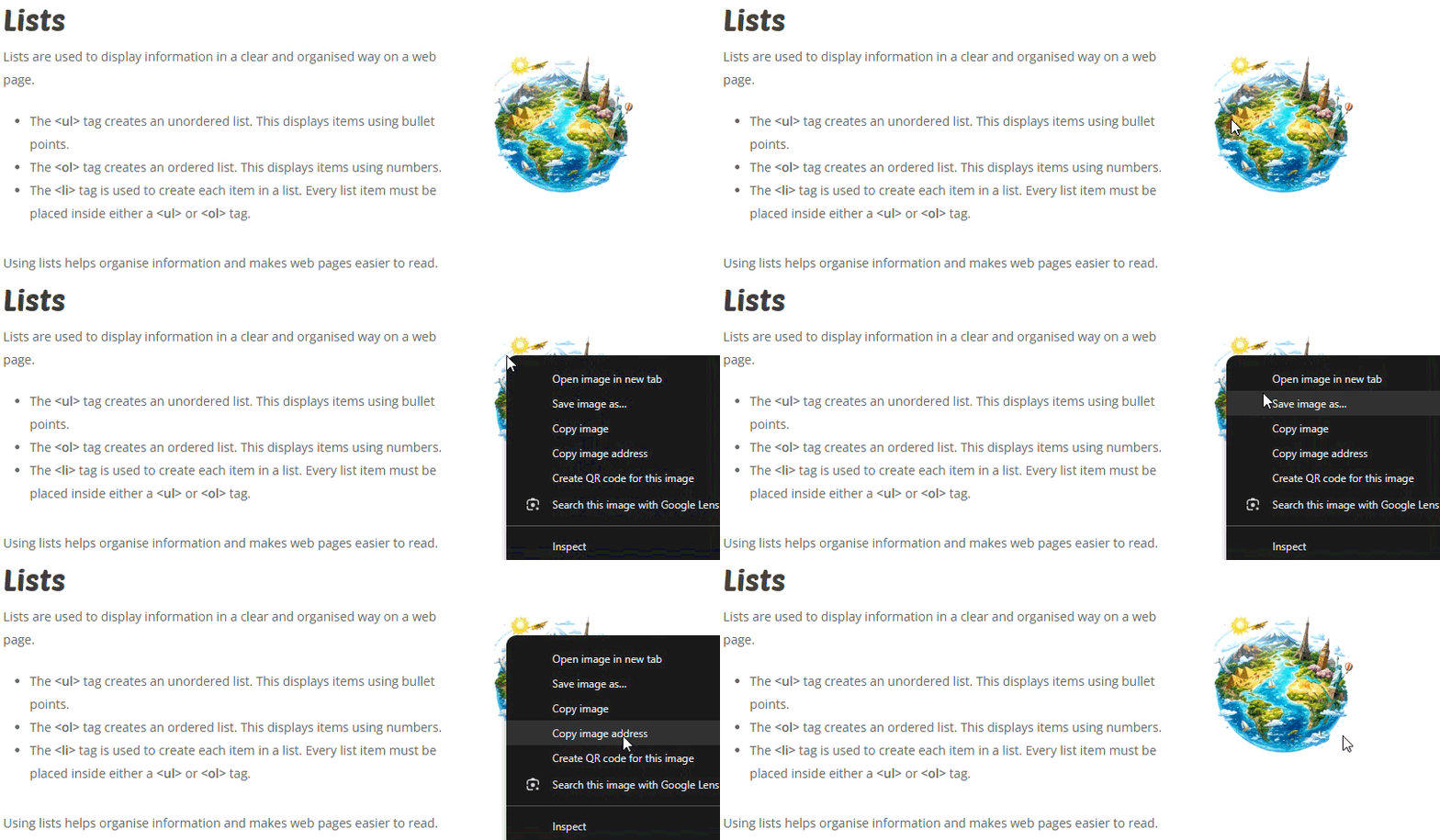
How to get an image address
The clip below shows how to copy the address of an image.
Example 1
<img
src="https://superstudyparty.com/wp-content/uploads/2026/06/pizza.avif"
>
Example 2
<img
src="https://superstudyparty.com/wp-content/uploads/2026/06/pizza.avif"
width="100px"
>
Task 1
Copy the code below to create a web page about pizza toppings.
<h1>Best Pizza Toppings</h1>

<img
src="https://superstudyparty.com/wp-content/uploads/2026/06/pizza.avif"
width="300px"
>

<p>
Pizza is one of the most popular foods in the world.
Different toppings can change the flavour and style of a pizza.
</p>

<h2>Top Pizza Toppings</h2>

<ul>
    <li>Pepperoni</li>
    <li>Mushrooms</li>
    <li>Cheese</li>
    <li>Olives</li>
    <li>Peppers</li>
</ul>




Task 3
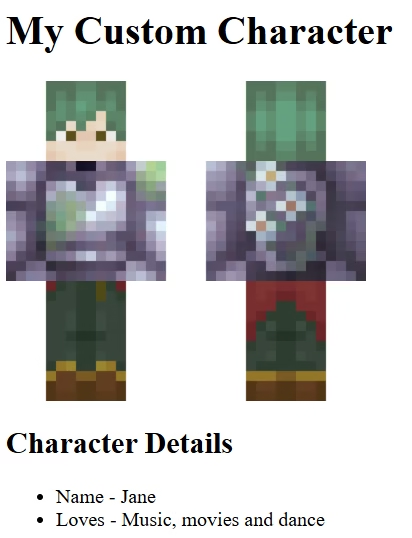
Create the webpage below about a custom Minecraft character.
You will need to create your character using three images for head, body and legs.
Tip – The break tag, <br>, will let you take a new line.