Learn > BGE > HTML > 4. Links

Hyperlinks

A hyperlink is a clickable link that takes you to another webpage, website, file or part of the same webpage.

In HTML, hyperlinks are created using the <a> tag.

<a href="https://www.bbc.co.uk">Visit the BBC</a>

href tells the browser where the link should go.

The text between <a> and </a> is what the user clicks.

Task 1

Copy the code below to create a web page about popular websites.

*The <br> tag will take a new line
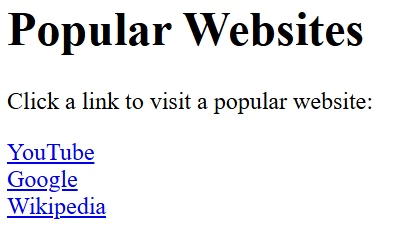
<h1>Popular Websites</h1>

<p>Click a link to visit a popular website:</p>

<a href="https://www.youtube.com">YouTube</a>

<br>

<a href="https://www.google.com">Google</a>

<br>

<a href="https://www.wikipedia.org">Wikipedia</a>

Task 2

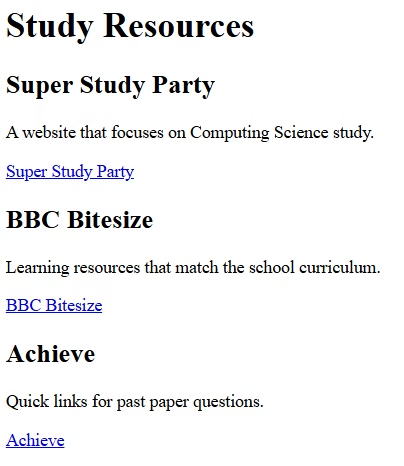
Create the study web page below.

<h1>Study Resources</h1>

<h2>Super Study Party</h2>
<p>A website that focuses on Computing Science study.</p>
<a href="???????????????????">Super Study Party</a>

...

Task 3

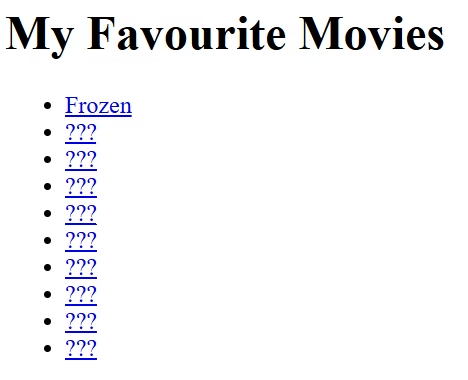
Create a list of your ten favourite movies.
Each item in the list should link to a related website.

<h1>My Favourite Movies</h1>

<ul>
    <li><a href="????">Frozen</a></li>
    ...


Targets

Write HTML code for a hyperlink